
Pageviews don't show up in the app
Symptom: you opened your page, but the Dashboard's "Pageviews" card is still at zero.
It's almost always an installation detail. Check the items below, in order.
What to check
The Dashboard period. The Dashboard opens showing today. If you ran the test yesterday, choose the right period and click "Search".
The script is in the page's
<head>, unchanged. In Funnels, click the funnel's book icon ("View Tutorial") and copy the code from the "Add this code to your website's Head" step with the "Copy" button. Paste all of it inside the<head>of every page in the funnel, without deleting anything (not even thedeferat the end).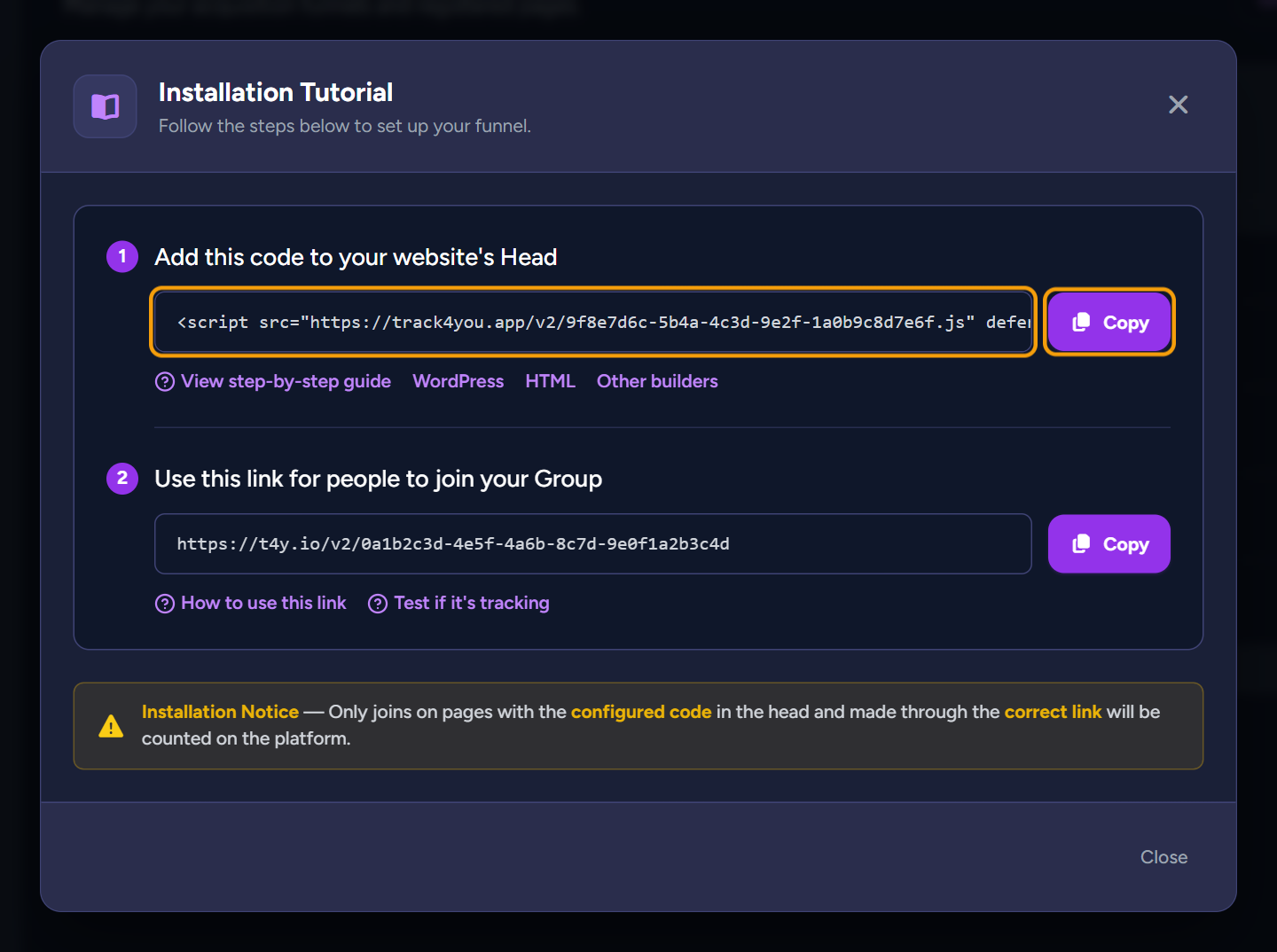
The page was published after you pasted the script. In WordPress, Elementor and other builders, save, publish and clear the site's cache.
The domain you added is the same as the page's. In Domains, the address must match the one in the browser's address bar. A subdomain counts as a different domain: a page on
lp.vipsignalsdemo.comneeds the domainlp.vipsignalsdemo.comadded, not justvipsignalsdemo.com.The page is added to the funnel, with the exact path. If the page is
blacklaunch.com/vip, the funnel needs the URLvip. The domain's home page (with no path) can't be added to a funnel: use a page with its own path for each funnel.The page opens with
https://. Pages without the security padlock in the browser aren't tracked.The subscription is active. With a canceled subscription, tracking is paused. If the app shows the overdue payment notice, settle the payment. See Overdue payment or canceled subscription.
How to test again
Open the page in an incognito tab, with no ad blocker, wait for it to load completely and check the Dashboard after a few minutes. The full step by step is in Test whether the funnel is tracking.
Still not showing up?
Contact support and send the page address and the funnel name.