
Overdue payment or canceled subscription
When the payment isn't identified, the app shows a notice when you open any screen. Settle the payment to keep your features from being suspended. Until then, you can't create domains, pixels, funnels or postbacks.
If the subscription is canceled, tracking, automated messages and broadcasts in the channel are paused. As soon as you subscribe again, everything works again with your usual setup. The only exception is a one-time broadcast whose time passed during that period: see what happens to broadcasts.
"Your subscription is past due"
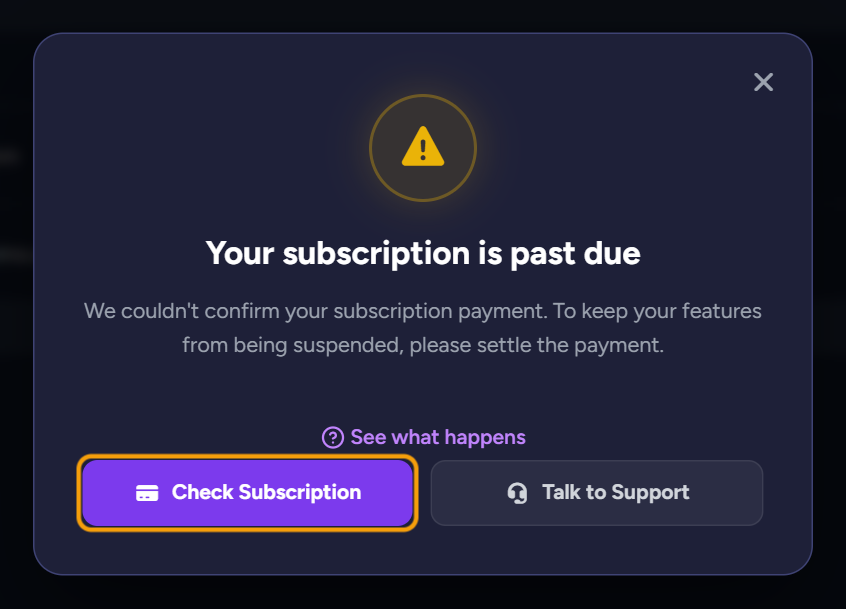
The monthly payment wasn't identified, usually because the card expired, was declined or had no available credit. To settle it:
- In the notice, click "Check Subscription". The subscription portal opens in a new tab.
- Update the payment method (e.g. add another card) and complete the pending payment.
- Go back to Track4you and reload the page.
You can also get to the portal from the profile menu → "Subscription". See Subscription, invoices and cancellation.
"Your subscription was canceled"
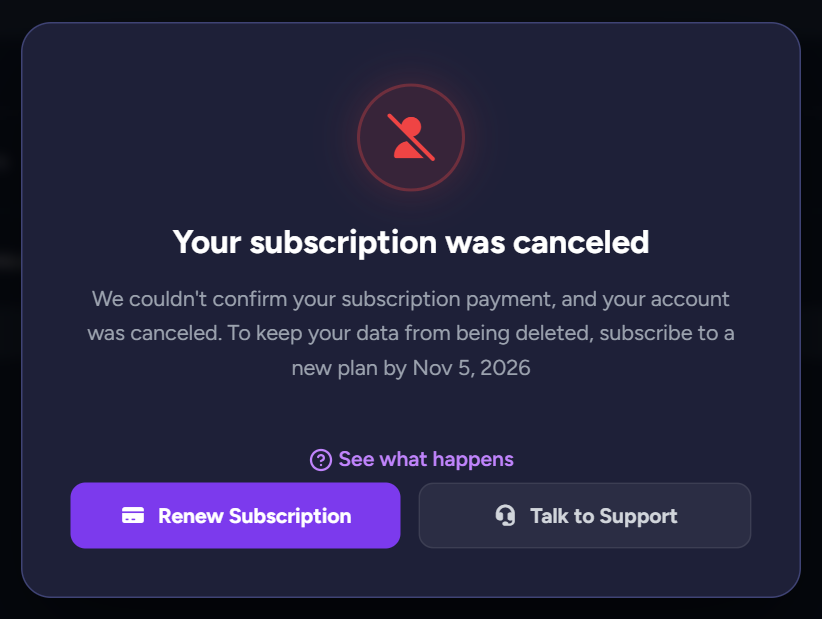
The subscription has ended. The notice shows a date: subscribe to a new plan by that date so you don't lose your data (channel, domains, pixels, funnels and history).
- In the notice, click "Renew Subscription". The Plans page opens.
- Choose the plan and complete the payment.
- When you're done, you go back to the Dashboard with an active subscription.
With a canceled subscription, when you log in you're taken straight to the Plans page.
What happens to broadcasts
If you canceled and the period you already paid for hasn't ended yet, broadcasts keep going out as usual. The pause starts when that period ends:
- Recurring Broadcasts: they aren't posted while the subscription is canceled, and the times in that period aren't posted later. The broadcast's toggle stays on. When you subscribe again, it comes back on its own at the next day and time on the list.
- Scheduled One-time Broadcasts: if the time passes while the subscription is canceled, the broadcast isn't sent, not even after you subscribe again. It shows up under "Completed" as "Canceled". To send it, create another one. The ones scheduled for after you subscribe again go out as usual.
How to check it worked
- The notice stops showing up as you move around the app.
- The bottom of the sidebar menu shows your plan's name (and not "No plan").
- The "New" buttons in Domains, Pixels, Funnels and Postbacks open the form again.
Keep your card up to date
Update the subscription's card in the portal, under "Manage subscription". With a canceled subscription, the visits and joins in that period aren't tracked, and automated messages and broadcasts aren't sent.
Common problems
- I paid and the notice is still there: the confirmation can take a few minutes. Reload the page. If it keeps happening, click "Talk to Support" in the notice itself or contact support.
- I click "New" and the subscription notice opens: it's the same case. Settle the payment following the steps above.
- I subscribed again and a one-time broadcast shows "Canceled": its time passed while the subscription was canceled. Create another broadcast.
- I subscribed again and the recurring broadcast didn't post: it only comes back at the next day and time on the list. If that time passes and nothing goes out, see Broadcasts in the channel don't show up.
- A one-time broadcast shows "Failed": the reason isn't the subscription. The broadcast couldn't be posted in the channel. See the One-time Broadcast status.