
What postbacks are
Postbacks make Track4you notify your system whenever something happens in the funnel. You add a URL and, on each event, Track4you sends the lead's data to it: where they came from, the campaign (UTMs), the location, the funnel and, for joins and leaves, the Telegram ID.
It's the opposite path of Integrations: there, your platform notifies Track4you; here, Track4you notifies your system.
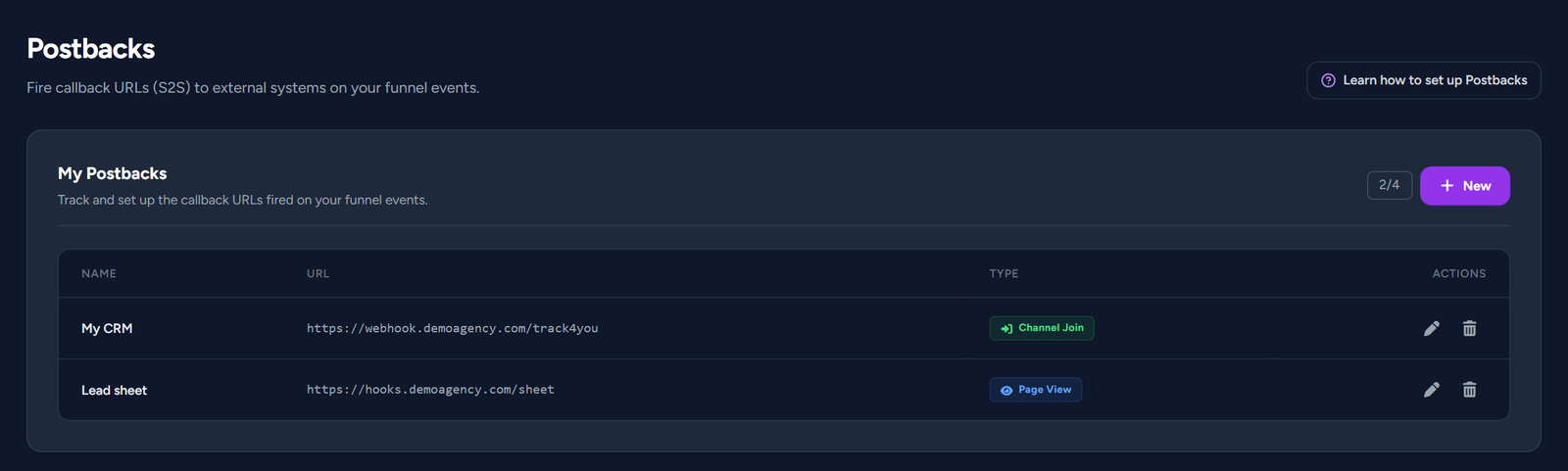
What to use them for
- CRM: create or update the contact when the lead joins the channel, already with the source campaign.
- Spreadsheet: log each join and leave in a row, through an automation (n8n, Make, Zapier or similar).
- Your own automations: trigger an email sequence, notify the sales team or feed your own dashboard.
The data arrives with the same quality as Track4you's advanced tracking: each join comes linked to the funnel and the campaign that generated it.
The 4 events
Each postback is linked to one event. You choose the event when you add it:
| Event on screen | When it's sent |
|---|---|
| "Page View" | When someone opens a funnel page with the script installed |
| "Button Click" | When someone clicks the button that leads to the channel |
| "Channel Join" | When the lead joins the channel through the funnel |
| "Channel Leave" | When the lead leaves the channel |
Want to receive more than one event at the same URL? Add one postback for each event, with the same URL. You can also have more than one postback for the same event (e.g. one for the CRM and another for the spreadsheet).
Limit
You can add up to 4 postbacks, on any plan. The counter next to the "New" button shows how many you've used (e.g. "2/4").
Before you start
- Have a public URL that receives requests (the webhook address of your CRM, n8n, Make, etc.), starting with
https://. - If a developer is going to build the receiving end, send them the article Format of the data sent.