
Status and Event History
On the Integrations screen you follow whether each integration is receiving conversions and what has already been delivered to the pixel.
Integration status
In the "Your Integrations" table, the "Status" column shows:
| Status | What it means |
|---|---|
| "Receiving data" (green) | The platform has already sent conversions through this integration. Everything's working. |
| "Waiting for data" (yellow) | No conversion has arrived yet. That's normal right after you create it. |
| "Invalid data" (red) | A postback arrived without the click_id parameter. Review the URL on the platform. |
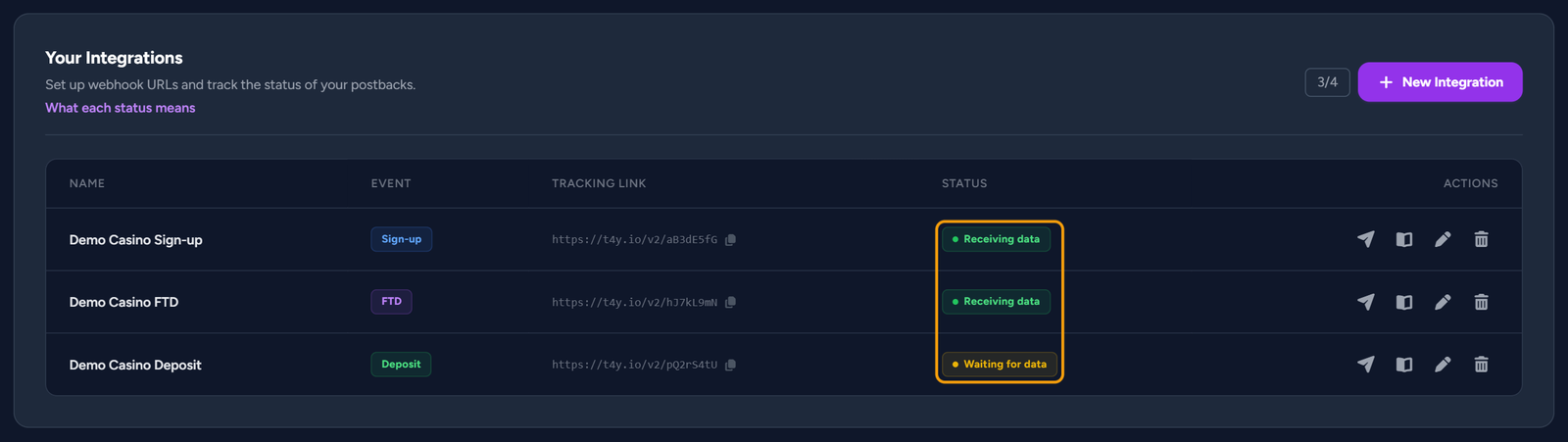
If the integration doesn't leave "Waiting for data" or is in "Invalid data", see Integration in "Waiting for data" or "Invalid data".
Event History
Right below the list is the "Event History": each conversion that arrived from your platforms, already with the name it was delivered to the pixel with.
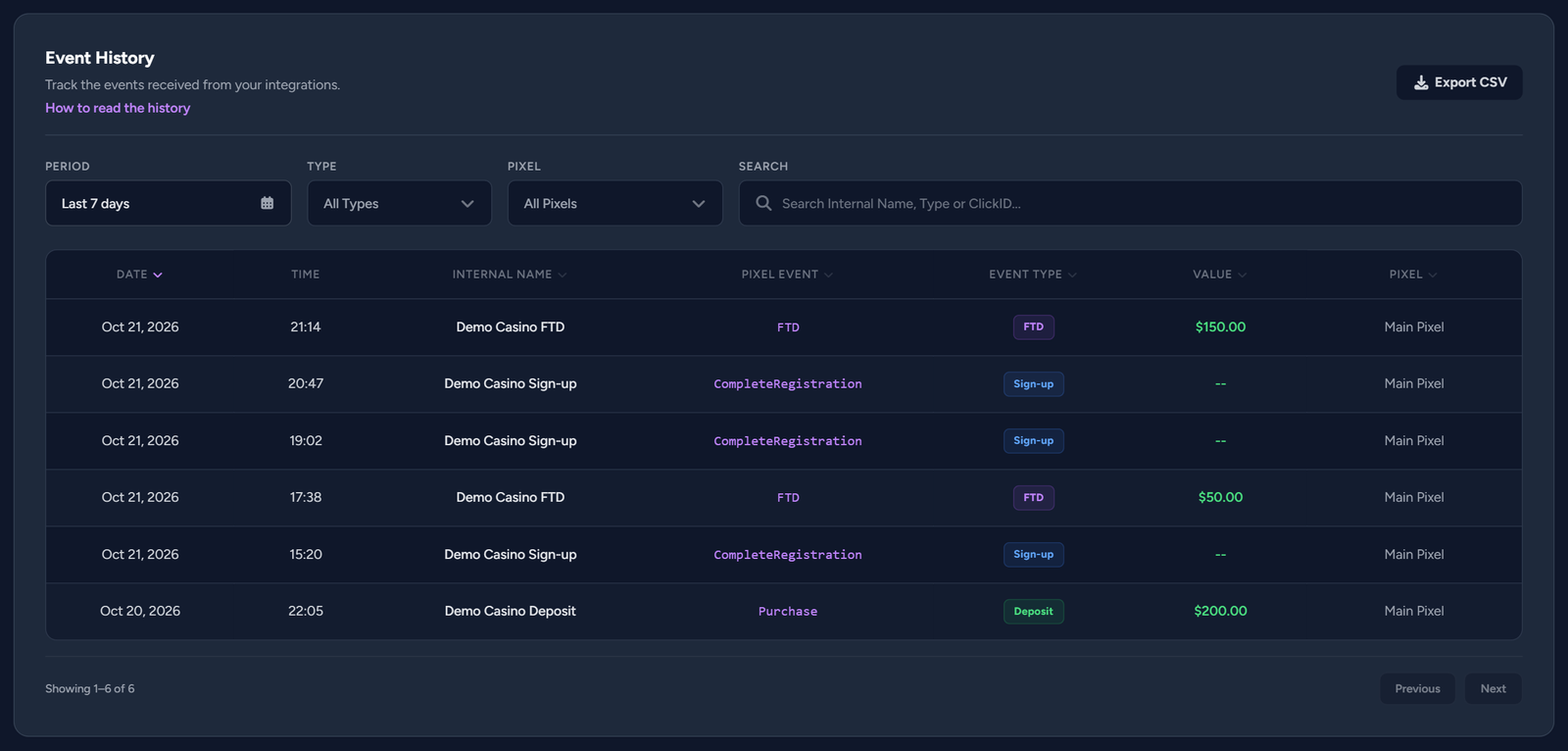
Columns
- Date and Time of the conversion.
- Internal Name: the integration name.
- Pixel Event: how the event reached Meta (
CompleteRegistration,FTD,Purchaseor the custom name). - Event Type: Sign-up, FTD, Deposit or Custom.
- Value: the FTD or deposit amount ("--" when the event has no value).
- Pixel: the pixel that received it.
Click a column title (except "Time") to sort.
Filters
- "Period": starts at the last 7 days.
- "Type": one specific event type.
- "Pixel": only one pixel's conversions.
- "Search": by integration name, by type or by ClickID (the click identifier, handy to check a specific conversion with the platform).
Export
"Export CSV" downloads every event that matches the filters applied, not just the page on the screen.
New conversions
The history shows one row per event received: a lead who signed up and then deposited shows up in two rows. To see conversions that just arrived, reload the page.