
Reconnect the bot with a new token
The "Reconnect" button updates your tracking bot's token in Track4you, without disconnecting the channel or redoing your funnels. Use it when the channel connection drops.
When to use it
- The channel card shows the "Inactive" badge and the "Reconnect" button showed up.
- The app showed the "The channel connection was lost" notice.
- You generated a new token in @BotFather (for example, because the old token leaked).
- The bot was used in another tool and the "Connection with Track4you" line turned red.
Before you start
- The tracking bot is still in the channel as an administrator, with all permissions. If it was removed, add it back before reconnecting.
- Access to @BotFather on the same Telegram account that created the bot.
Step by step
Generate a new token in @BotFather. Send
/mybots, choose your tracking bot, tap "API Token" and generate a new token. Copy the whole new token. The previous token stops working right away.In Track4you, open Channel in the menu and click "Reconnect" on the channel card.

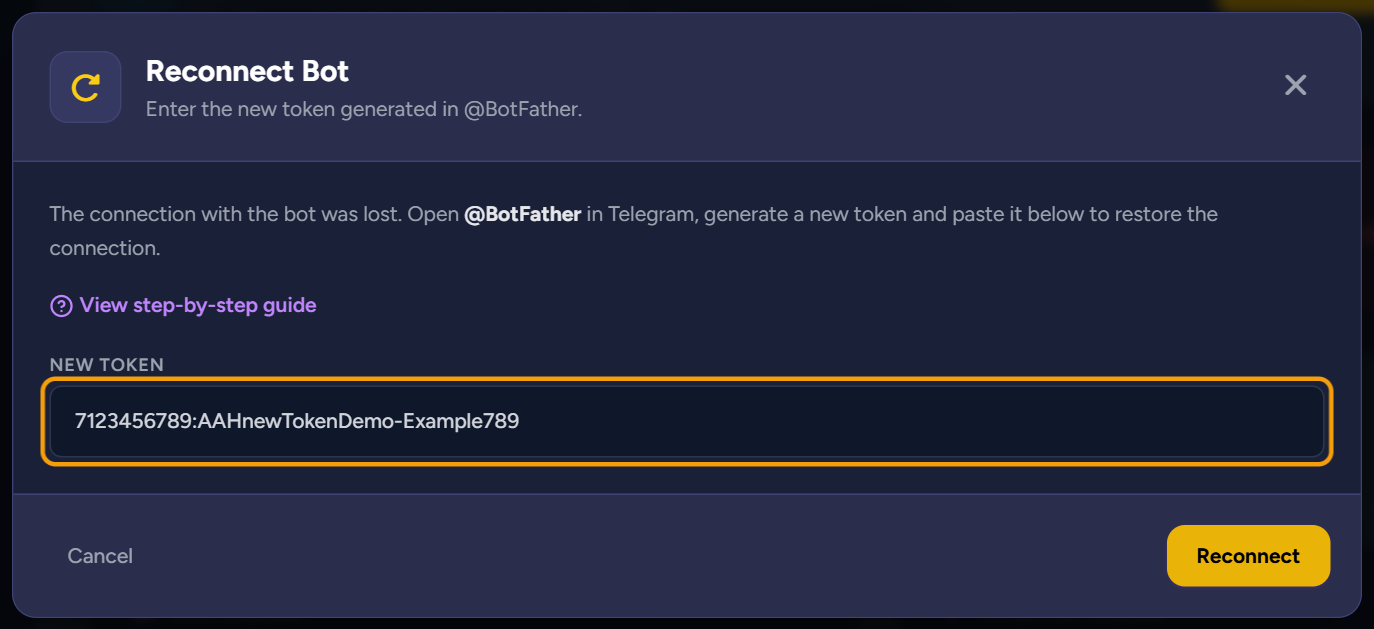
In the "Reconnect Bot" modal, paste the token into "New Token" and click "Reconnect".
Use the same bot's token
Always reconnect with the token of the bot that's already connected to your channel. To use another bot or another channel, see Change channels or disconnect.
The token is a secret
The new token is just as powerful as the old one: whoever has it controls the bot. Don't share it with anyone or paste it into another tool.
How to check it worked
- The card shows the "Active" badge again and the "Reconnect" button goes away.
- In "Integration Status", the "Connection with Track4you" and "Connection with the Channel" lines show "Connected!".
- The "The channel connection was lost" notice stops showing up.
Common problems
- "Enter the bot's new token.": the field is empty. Paste the token before clicking "Reconnect".
- "Invalid token.": the token was copied only partly or was already changed again in @BotFather. Copy the latest token, in full, and try again.
- A notice starting with "Attention: the tracking bot was removed": the bot is no longer in the channel. Add the bot back as an administrator, with all permissions, and click "Reconnect" again.
- "Unexpected error while validating the token.": wait a moment and try again. If it keeps happening, contact support.