
Automatic approval (Auto-Approval)
With Auto-Approval on, Track4you approves the join requests to your channel on its own. You don't have to approve leads one by one in Telegram, and whoever requests to join isn't left waiting.
Before you start
- A funnel with "Join Request" turned on: Auto-Approval approves the requests that come through this kind of link. See Join Request in the funnel.
- The message bot set up: the "Private Messages" section, where Auto-Approval lives, shows up after it. See Set up the message bot.
Step by step
In the Messages menu, go to "Private Messages" > "Default Settings" and turn on the toggle on the "Auto-Approval" card. The change is saved right away and you'll see "Settings updated.".
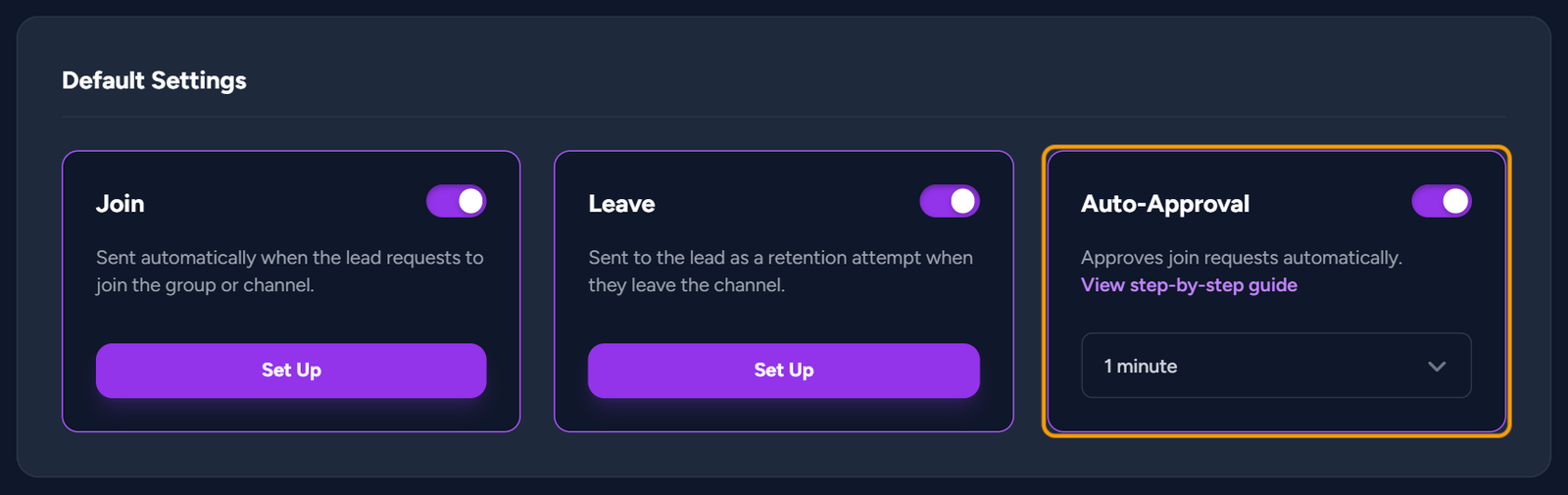
In the field below, choose the waiting time before approval: "Instant", "10 seconds", "30 seconds", "1 minute", "5 minutes", "10 minutes", "30 minutes" or "60 minutes". This is also saved right away.
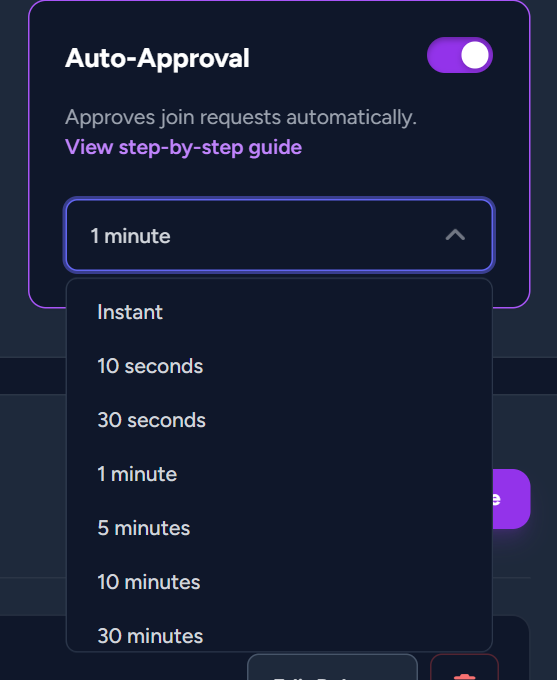
Instant or with a waiting time?
| Option | What it's like for the lead |
|---|---|
| "Instant" | They're approved right away and get the welcome message right after. |
| With a waiting time (10 seconds to 60 minutes) | They get the welcome message as soon as they request to join and are only approved after the time you chose. |
Welcome before joining
A short waiting time (30 seconds to 1 minute) makes the lead read your welcome message, see the rules and click your buttons before landing in the channel. See Welcome message (Join).
With Auto-Approval off, requests stay pending and you approve them manually, in Telegram itself, in the channel's list of join requests.
Want a different waiting time for a specific funnel? See Different messages per funnel.
How to check it worked
- With a personal Telegram account that is not an administrator of the channel, open your page and request to join the channel.
- After the waiting time you chose, the account joins the channel without you approving anything.
Common problems
- I can't find the "Auto-Approval" card: set up the message bot first. The "Private Messages" section shows up after it.
- The lead wasn't approved: check that they requested to join through the link of a funnel with "Join Request" and that the tracking bot is still an administrator of the channel, with all permissions. See the check in the Channel menu in Channel integration status.