
Channel joins don't show up
Symptom: clicks show up on the Dashboard, but the "Joins" card stays at zero, or people join the channel and don't show up in Metrics.
What to check
The channel is connected. Open Channel and look at the "Integration Status" card: "Connection with Track4you" and "Connection with the Channel" must show "Connected!". If either one is red, see "The channel connection was lost".
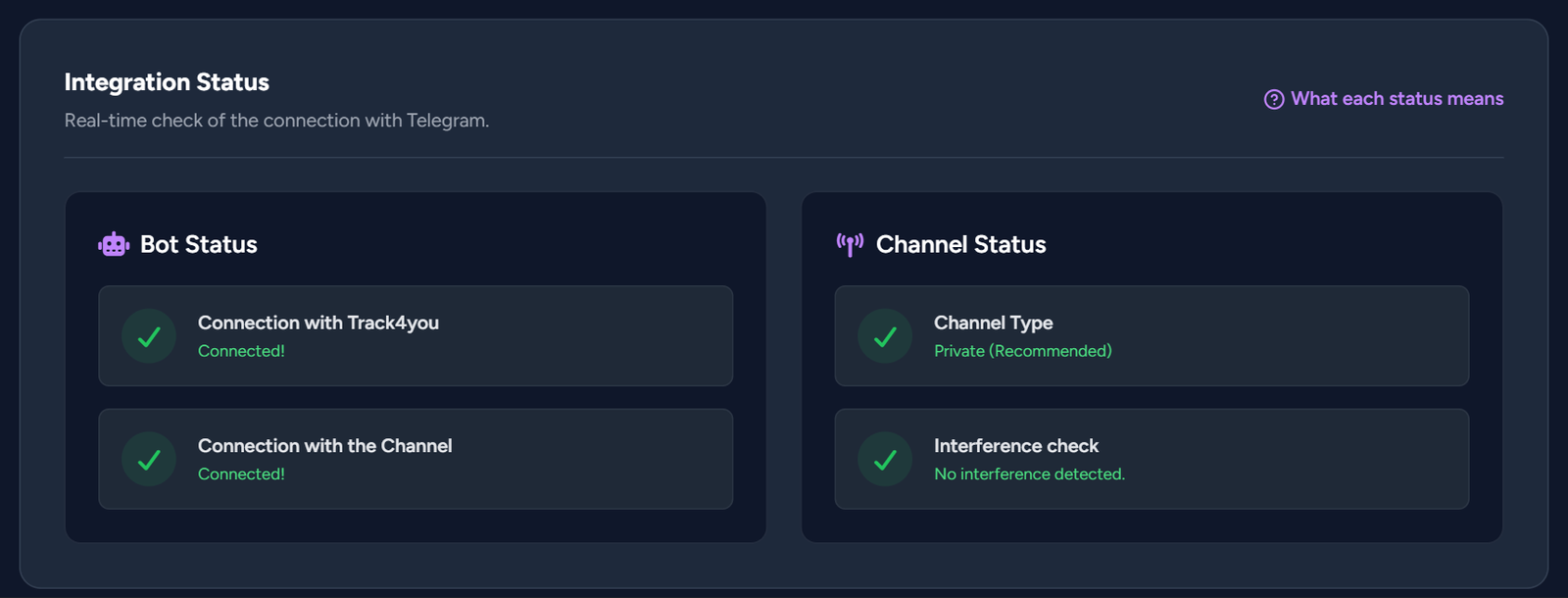
The tracking bot is an administrator of the channel, with all permissions. In Telegram, open the channel → administrators → your tracking bot, and turn all permissions on.
The tracking bot is exclusive to Track4you. If the same bot is connected to another tool (a flow builder like Flow4You, another tracker, a sales bot), create a bot just for Track4you. See Create the tracking bot in BotFather.
The lead joined through the funnel link. Only people who clicked the page button with the funnel link are tracked. People who join through the public channel's
@, through an invite link created by hand in Telegram or through an old link aren't tracked.Did you change channels? The new channel's funnels have new links. Update the button on your pages with each funnel's link. See Change channels or disconnect.
The subscription is active. With a canceled subscription, tracking is paused. If the app shows the overdue payment notice, settle the payment. See Overdue payment or canceled subscription.
A private channel tracks better
In a private channel, every join goes through the funnel link. In a public channel, the lead can find the channel through Telegram search and join without going through the funnel. See Public or private channel?
How to test again
Go through the whole path with a Telegram account that isn't in the channel yet: open the page, click the button and join. Check the Dashboard's "Joins" card after a few minutes. See Test whether the funnel is tracking.
Still not showing up?
Contact support and send the channel name and the funnel name.