
Automated messages: what you can do
While Track4you handles advanced tracking of the joins in your channel, the Messages menu handles the relationship: it greets the lead in a private chat, tries to win back whoever leaves, approves join requests on its own and posts content in the channel on the days and at the times you choose.
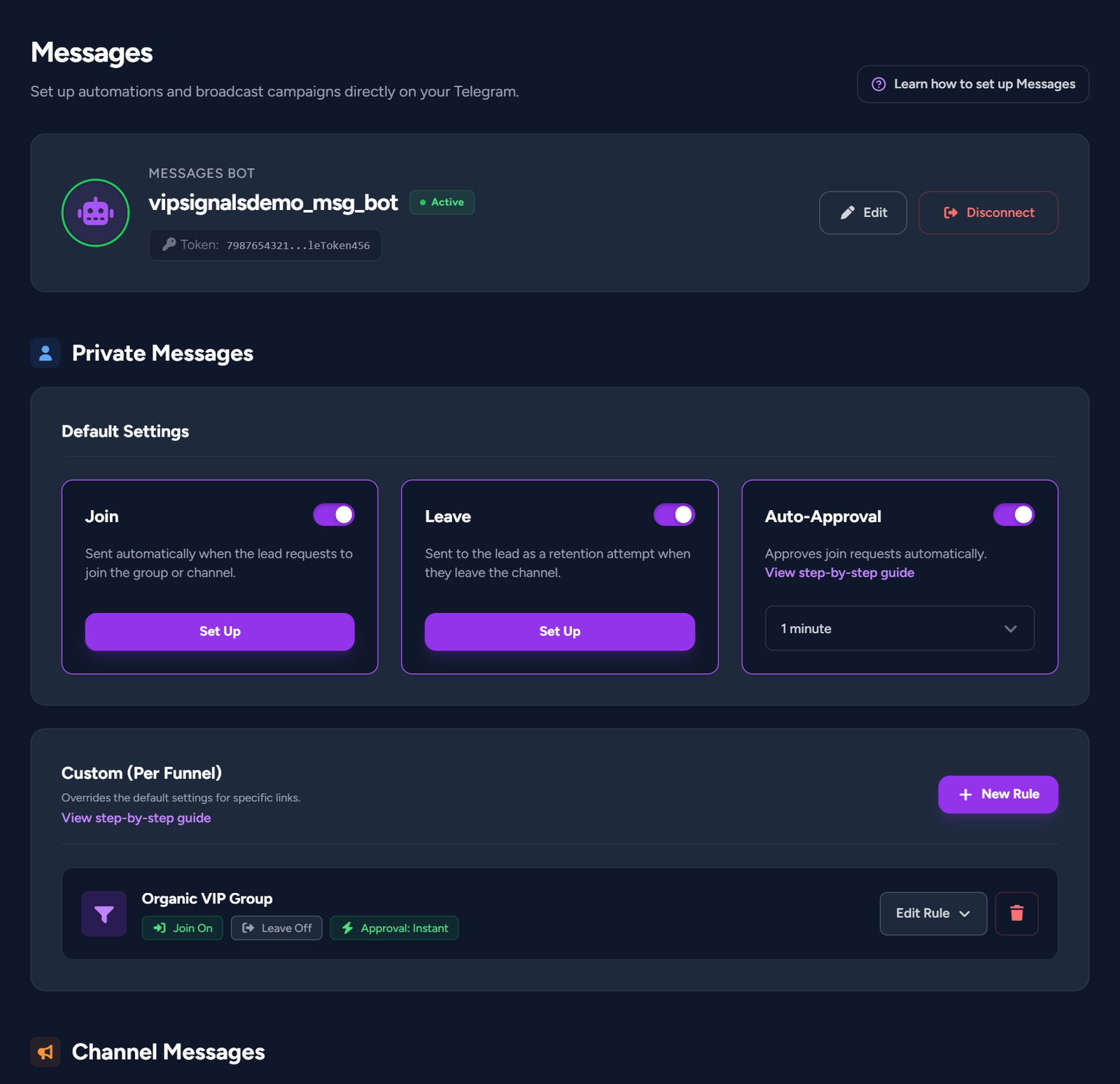
What you can do
| Feature | What it does | Article |
|---|---|---|
| Join (welcome) | Sends a private message to the lead as soon as they request to join the channel. | Welcome message |
| Leave | Sends a retention message in a private chat to whoever leaves the channel. | Leave message |
| Auto-Approval | Approves join requests on its own, right away or after the time you choose. | Automatic approval |
| Custom (Per Funnel) | Uses its own messages for whoever arrives through a specific funnel. | Different messages per funnel |
| Recurring Broadcasts | Posts in the channel on the fixed days and at the fixed times you set, picking at random among variations. | Recurring broadcasts |
| One-time Broadcasts | Posts a message in the channel now or on the date and at the time you schedule. | One-time broadcasts |
All messages are built in the same editor, with formatted text, the lead's name (in private messages), emoji, buttons with links, image, video, audio and round video. See Message editor.
What unlocks the Messages menu
The Messages menu item stays locked until you have:
- A connected channel in the Channel menu. Without it, you see the notice "Set up a Channel to unlock the Messages tab". See Connect your channel to Track4you.
- At least one funnel with "Join Request" turned on. Without it, you see the notice "Messages can't be set up without a funnel with "Join request" enabled". See Join Request in the funnel.
Once the menu is unlocked, the first step is to set up the message bot. The rest of the page shows up after that.
Two bots, two jobs
You'll use two Telegram bots, each with its own role:
| Tracking bot | Message bot | |
|---|---|---|
| Where you set it up | Channel menu | Messages menu |
| What it's for | Tracking channel joins and leaves and approving join requests | Talking to the lead in a private chat and posting broadcasts in the channel |
| Can you use it in another tool? | No. It's exclusive to Track4you | Yes. It works alongside FlowBuilder tools, such as Flow4You |
Both must be administrators of the same channel and must be different bots (each with its own token). See Set up the message bot.
Why Join Request matters here
Private messages go to whoever requests to join the channel through the link of a funnel with "Join Request". That request is what opens the conversation between the bot and the lead. That's why the menu only unlocks when you have a funnel like that.