
Set up the postback on your platform
The postback is the notice your platform sends to Track4you when the conversion happens. Until it's set up, the integration stays in "Waiting for data".
Before you start
- An integration created. See Create an integration.
- Access to the platform's affiliate dashboard (the "Postback", "S2S", "Webhook" or "Server pixel" area).
- The platform's postback documentation, or its support contact.
Step by step
In Integrations, on the integration you want, click the "View Tutorial" icon (book) and copy "Your Webhook URL (Postback)".
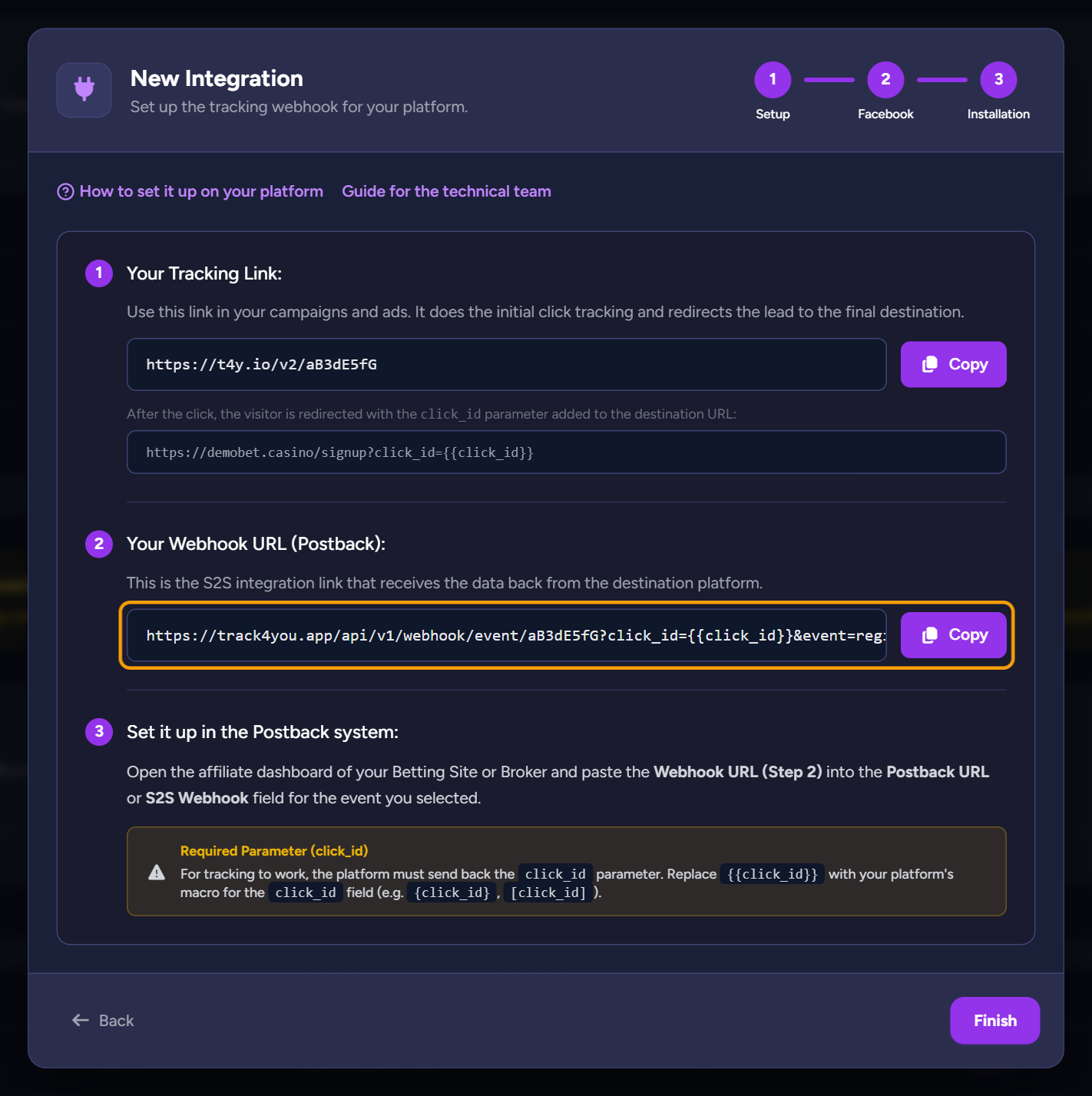
In the platform's affiliate dashboard, open the postback settings and choose the same event as the integration (sign-up, FTD or deposit).
Paste the URL into the "Postback URL" field (or "S2S Webhook").
Replace the placeholders with the platform's macros:
{{click_id}}→ the macro that returns the click ID the platform received from Track4you.{{value}}(FTD and Deposit only) → the macro that returns the deposit amount.
Save and repeat for each event you integrated.
Example
URL that Track4you shows:
https://track4you.app/api/v1/webhook/event/hJ7kL9mN?click_id={{click_id}}&event=ftd&amount={{value}}URL saved on a platform that uses macros in single braces:
https://track4you.app/api/v1/webhook/event/hJ7kL9mN?click_id={click_id}&event=ftd&amount={amount}Each platform has its own macros
Macro names and formats change from one platform to another: {click_id}, {{clickid}}, [subid], %afp%, {sub1}... Check the platform's postback documentation, or ask its support, which macro returns the click ID and which one returns the value. If the platform's technical team is going to set it up for you, send them the Integration technical guide.
Rules you can't break
- Don't change the start of the URL, the code after
/event/or theevent=. - The key is always
click_id=, even if the integration's "URL Identifier" is something else (afp,subid, a UTM...). Only what comes after the=is replaced by the macro. - Value with a decimal point (
150.00), with no currency symbol. - One URL per event. The Sign-up integration's URL goes in the sign-up postback; the FTD one, in the FTD postback, and so on.
How to check it worked
Make a test conversion through your tracking link. Within a few minutes:
- the integration changes to "Receiving data";
- the conversion shows up in the "Event History".
Common problems
- "Invalid data" status: the postback arrived without the
click_id. Check that the key is writtenclick_id=and that the macro exists on the platform. - Still "Waiting for data": no postback has arrived. Check that the URL was saved on the right event and that the test conversion was made from the tracking link.
More details in Integration in "Waiting for data" or "Invalid data".