
Change the TikTok Access Token
Generating a new Access Token on TikTok kills the previous token. From that moment, the pixel only receives your funnel events again once the new token is saved in Track4you. That's why you change it in one go, with no gap.
When to change it
- The "Error History" shows error 40105 or 40102 ("Invalid or expired TikTok Access Token"). See TikTok pixel status and errors.
- You generated a new token on TikTok (you or someone on your team).
- You think the token leaked.
Before you start
- Keep Track4you open on the Pixels screen and TikTok Events Manager open in another tab.
- Check that your user is an Admin or Operator of the pixel's ad account.
Step by step
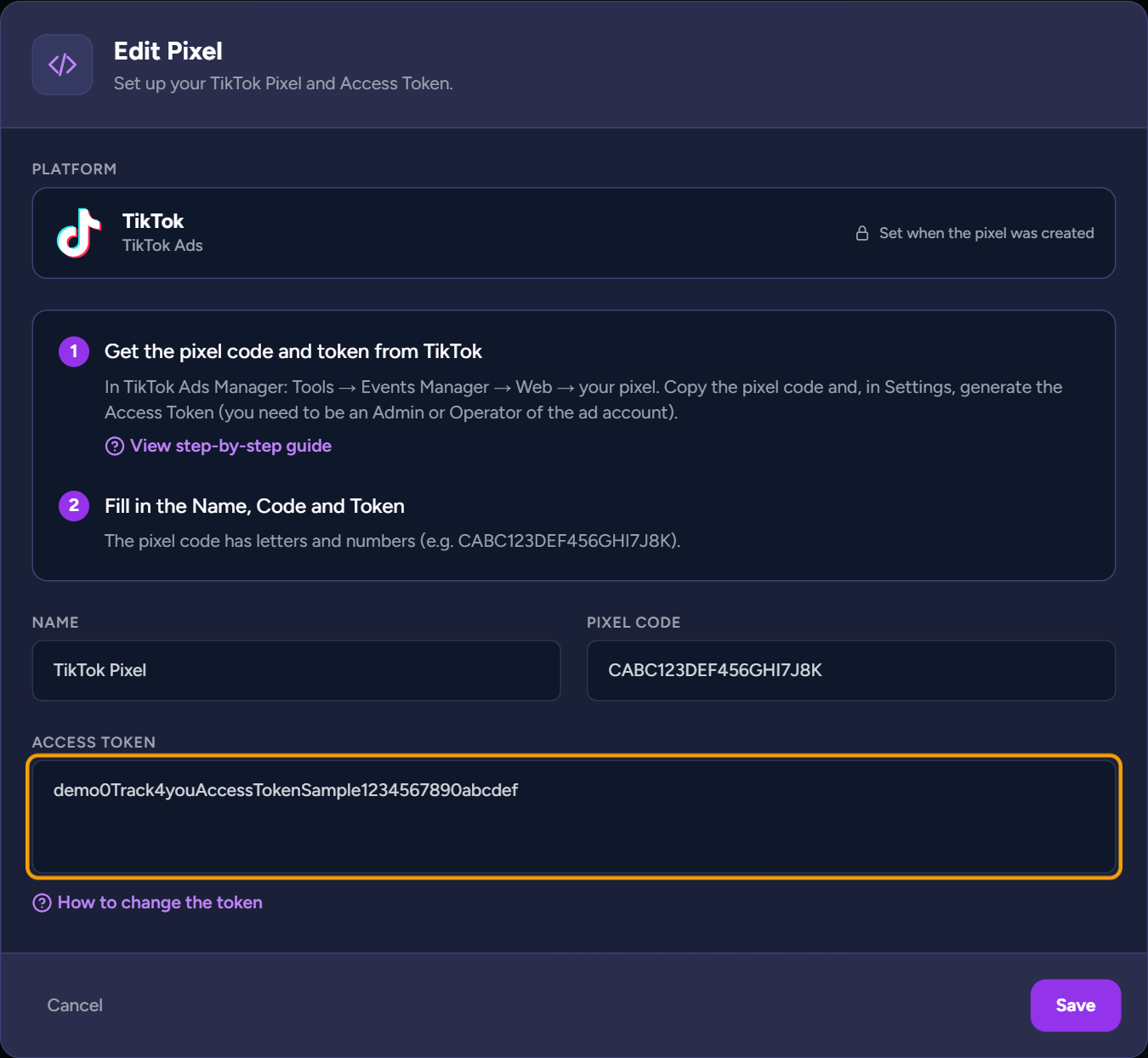
In Track4you, open Pixels and click the pencil on the pixel row. Keep the "Edit Pixel" modal open.
In Events Manager, open the pixel, go to Settings and generate the new Access Token. Copy the token. See Where to find the TikTok pixel code and Access Token.
Go back to Track4you, delete the old token in "Access Token", paste the new one and click "Save". The screen confirms with "Pixel saved successfully!".
Click the paper plane on the pixel row and send the Test Event. See Send the Test Event in TikTok.
Keep the token like a password
Don't share the token by WhatsApp, email or screenshot. If it leaked, generate a new one and update it here: the old one stops working.
How to check it worked
- The screen shows "Pixel saved successfully!" and, in the Test Event, "Test event sent".
- No new 40105 or 40102 errors show up in the "Error History".
- With the funnel events arriving, the pixel status in "My Pixels" shows "Receiving data".
Common problems
- "Invalid or expired TikTok Access Token" when saving: the token was copied incomplete. Copy it again, in full.
- "Access Token without access to this TikTok pixel" when saving: generate the token in the same ad account as the pixel, with an Admin or Operator user.
- You use the same pixel in more than one tool: the new token applies to all of them. Update each one right after generating it, starting with Track4you.
- I generated two tokens in a row: only the last one is valid. Paste the most recent one into Track4you.
Still have questions? Talk to support on WhatsApp.