
Create the tracking bot in BotFather
The tracking bot is the piece that links your Telegram channel to Track4you. It's how every join and every leave in the channel is identified. You create this bot in a few minutes, right in Telegram, with @BotFather (Telegram's official bot for creating bots).
Before you start
- Telegram open on your phone or computer (Telegram Web works too).
- A name for the bot. Tip: use something that makes it clear it's the tracking bot, like "VIP Signals Demo Track".
Step by step
In Telegram, search for @BotFather (it has the blue verified badge), open the chat and tap "Start". Send the
/newbotcommand.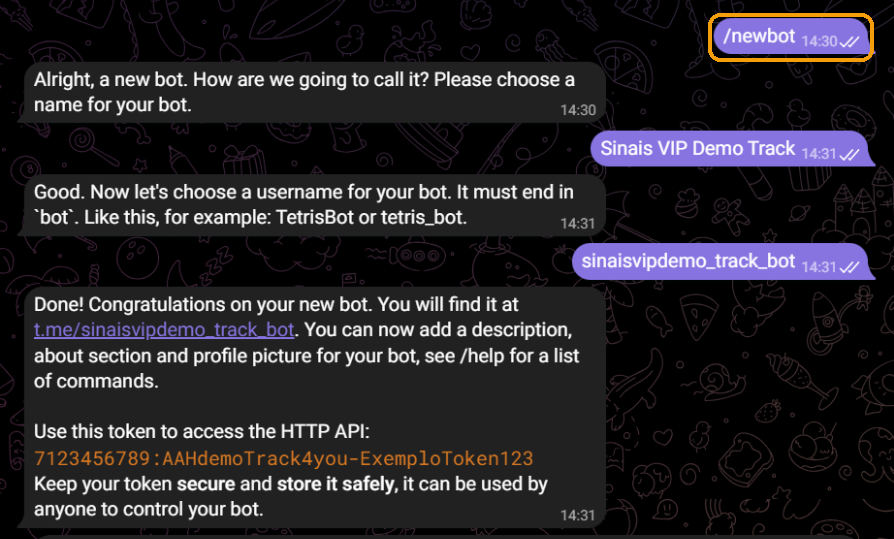
BotFather asks for two things, one at a time:
- The bot's name: the name shown in Telegram (e.g. "VIP Signals Demo Track").
- The bot's username: the bot's @. It must end in
botand can't already be taken (e.g.vipsignalsdemo_track_bot). If the username already exists, BotFather asks for another one.
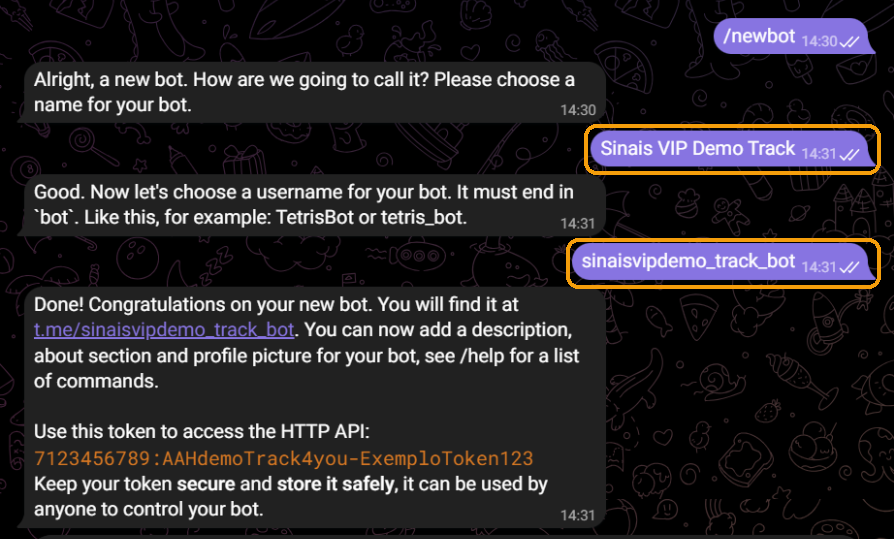
Done: BotFather confirms the bot was created and sends the bot's token, right below "Use this token to access the HTTP API". The token looks like this:
7123456789:AAHdemoTrack4you-ExampleToken123. Copy the whole token: you'll paste it into Track4you when you connect the channel.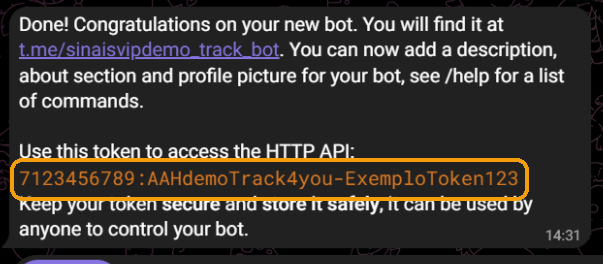
The token is your bot's key
Whoever has the token controls the bot. Don't send the token in groups, don't show it in screenshots and don't share it with other people or tools. In Track4you, you only paste the token into the "Bot Token" field (and into "New Token", if you ever need to reconnect).
A bot just for Track4you
Create a new bot only for Track4you and don't use it in other tools (automations, other trackers, flow builders). Using the same bot somewhere else interferes with tracking. If you want to send automated messages, Track4you uses a second, separate bot: see Set up the message bot.
How to check it worked
- BotFather replied with the confirmation message and the token.
- The bot shows up when you search for its username in Telegram.
Common problems
- I lost the token. In @BotFather, send
/mybots, choose the bot and tap "API Token": the current token shows up again. - I think the token leaked. In the same "API Token" menu, generate a new token (the old one stops working right away). If the channel was already connected, update the token in Track4you: see Reconnect the bot with a new token.
- BotFather rejected the username. It must end in
botand be unique on Telegram. Try another variation, likevipsignalsdemo_track2_bot.
Next step
With the token in hand, make the bot an administrator of your channel and connect it to Track4you: Connect your channel to Track4you.